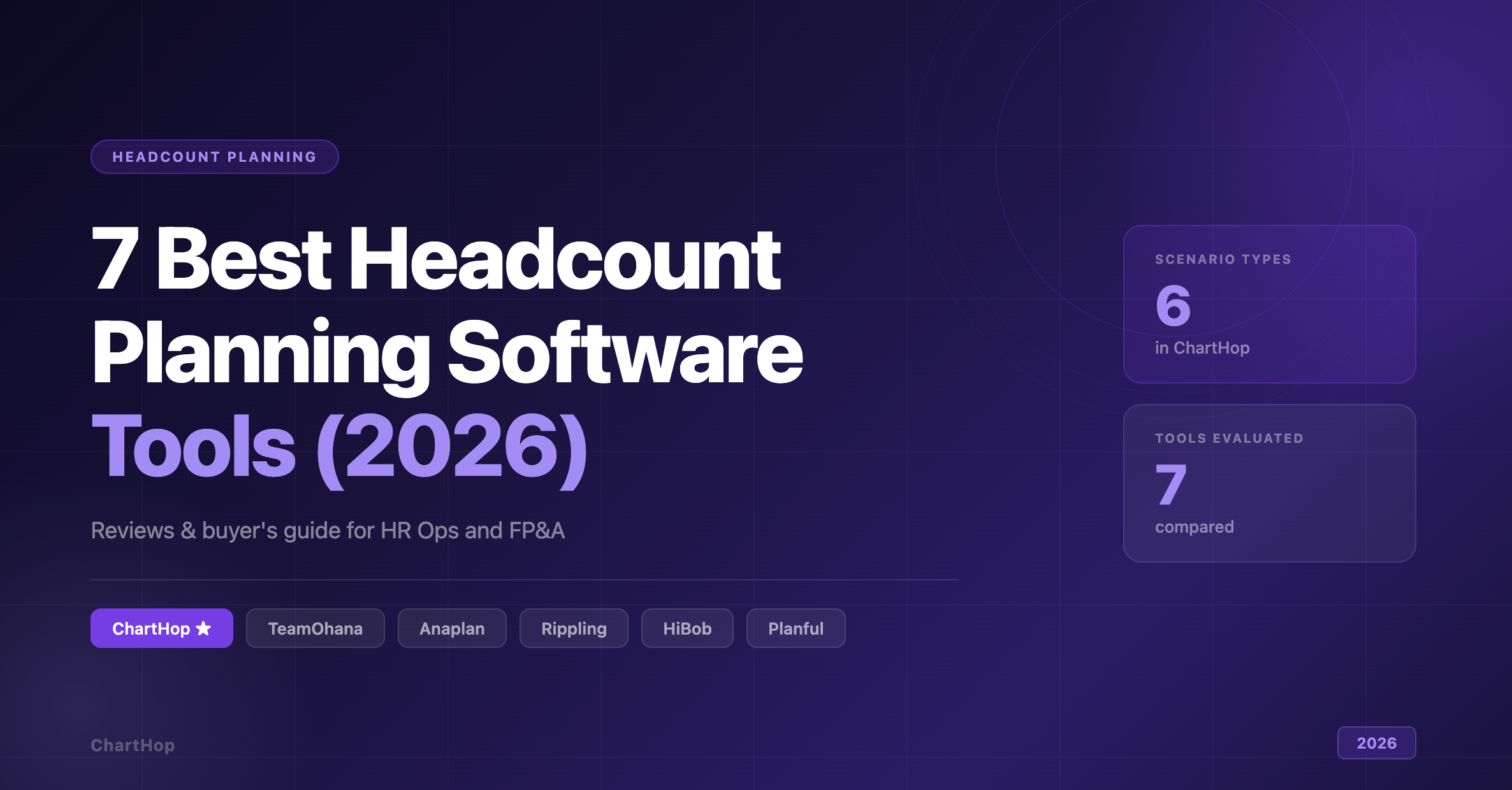
7 Best Headcount Planning Software Tools (2026): Integrations, Strategy, Accountability

Apr 16, 2026
|
Reading time: 12 min
ChartHop

A VP of People and a CFO walk into a planning cycle with the same spreadsheet — except the CFO's version has 14 more rows, a frozen column hiding the marketing backfills, and a last-modified date from three weeks ago. Nobody knows which version the recruiting team is hiring against.

If that sounds familiar, you've lived the core failure mode of spreadsheet-based headcount planning. Frequent reorgs, budget freezes, and mid-quarter pivots break static files fast. HR, Finance, and Talent Acquisition end up working from mismatched data, and the fallout is predictable: unapproved hires, blown budgets, and recruiters sourcing for roles that no longer exist.

That tradeoff between moving fast and maintaining governance is now avoidable. A new generation of headcount planning software connects proposed changes to budget impact in real time, routes approvals through the right stakeholders, and keeps everyone working from a single source of truth. The question isn't whether to make the switch, it's which tool fits your integration reality, your governance requirements, and how your teams actually make decisions.

This guide is for HR Ops leaders, FP&A teams, and People leaders evaluating headcount planning tools in 2026. We evaluated seven tools against the criteria that matter most: integration depth, scenario modeling, approval workflows, and auditability.

Quick Answer

Best Headcount Planning Software Tools (2026)

ChartHopTop Pick
Best overall for cross-functional headcount planning with six scenario types, configurable approval workflows, and real-time budget dashboards.
TeamOhana
Best for approval-driven governance with detailed audit logs across the full change lifecycle.
Anaplan
Best for enterprise connected planning across multiple business functions.
Workday Adaptive Planning
Best for organizations standardized on the Workday ecosystem.
Rippling
Best for teams that want headcount planning embedded in a broader HR/IT/Finance platform.
HiBob
Best for HR teams managing multiple parallel planning events.
Planful
Best for finance-led workforce cost planning.

What Is Headcount Planning Software?

Headcount planning software lets organizations propose, model, approve, and execute workforce changes in a controlled environment, and it connects those decisions directly to budget impact so Finance and HR are always looking at the same numbers.

The core workflow replaces spreadsheet-based hiring plan tracking with structured scenarios, review cycles, and merge controls. Think of it as version control for your org chart: changes are proposed in a sandbox, reviewed by the right stakeholders, and only applied after approval. That structure supports three things simultaneously:

  1. Strategic alignment through scenario modeling for reorgs, expansions, or freezes
  2. Financial governance through real-time budget calculations and approval gates
  3. Operational execution by syncing approved plans to ATS and HRIS so recruiting always works from accurate data

The 7 Best Headcount Planning Software Tools in 2026

1. ChartHop

Best for: Cross-functional headcount planning with visual scenario modeling and configurable approval workflows.

ChartHop's Headcount Planning module lets managers and leaders propose org changes directly on a visual org chart. Each scenario calculates real-time budget impact, so Finance sees cost implications as changes are drafted, not two weeks after a manager has already set things in motion.

The bottom-up workflow follows a clear sequence: identify needed resource changes, create a scenario, analyze projected impact, share with stakeholders for review, and merge approved changes into the current organization. That propose-review-merge structure keeps every change visible, traceable, and tied to a budget number before anyone touches the ATS.

Live reporting dashboards give leadership a shared view of budget, team composition, and DEI impact across scenarios without separate report requests or manual exports. Configurable approval workflows route proposed changes to the right reviewers based on change type, department, or budget threshold. Once approved, changes merge into the live org, keeping downstream data accurate and current.

On the integration side, ChartHop connects with leading payroll/HRIS, ATS, and equity platforms.

Six distinct scenario types — create job, update job, terminate and backfill, promotion, budget, and custom — mean teams can model the actual mix of changes they face rather than forcing everything into a generic request form.

Pros:

  • Six scenario types cover the full range of workforce changes, from net-new roles to promotions to fully custom requests
  • Visual org chart modeling makes it easy for non-technical stakeholders to understand impact before approving
  • Real-time budget impact updates as scenarios are built, eliminating lag between drafting and decision-making
  • Configurable approval workflows by change type, department, or budget threshold cover different needs
  • Live dashboards for budget, team composition, and DEI mean no additional BI tools are required
  • Native HRIS, ATS, and equity integrations keep recruiting and payroll in sync with approved plans

Cons:

  • Integration depth varies by system; sync frequency and field mapping differ across connectors
  • Approval workflows and custom scenario types require initial admin configuration before teams can use them fully

Pricing: Contact sales.

G2
REVIEW
★★★★★
ChartHop gives a single, trusted view of headcount, reporting lines, and planned changes, instead of fragmented spreadsheets and outdated decks. That makes it much easier to answer basic org questions and to plan things like reorgs or hiring without guesswork. The benefit is speed and clarity, fewer surprises, fewer side conversations, and faster decisions because everyone's looking at the same source of truth.
Verified ChartHop user · Read full review on G2 →

See ChartHop's Headcount Planning module →

2. TeamOhana

Best for: Approval-driven headcount governance with detailed audit logs across the full change lifecycle.

TeamOhana unifies Finance, Talent, and HR across a five-stage lifecycle: Inspect, Plan, Hire, Compensate, Optimize. The platform includes a hiring tracker, scenario planning, and executive-ready financial snapshots, but governance is where it earns its position on this list.

Configurable workflows support net-new headcount requests, change requests, internal transfers, and terminations. Every headcount record carries a detailed audit log with dates, times, and actions logged at each step, which gives compliance teams a clear trace of who reviewed what and when.

Pros:

  • Configurable approval workflows by change type (net-new, change requests, transfers, terminations)
  • Audit trails with timestamps on every headcount record
  • Slack one-click approvals reduce reviewer friction
  • Finance, Talent, and HR unified in a single platform

Cons:

  • Scenario planning is only available on the Enterprise plan or as a paid add-on for Professional; teams on the Essentials tier won't have access to it at all
  • Setup can be time-intensive; users note that initial data migration and HRIS integration configuration require meaningful effort upfront
  • HRIS data refreshes daily rather than in real time, which can create lag for fast-moving planning cycles

Pricing: Contact sales.

3. Anaplan

Best for: Enterprise modeling and connected planning governance across multiple business functions.

Anaplan frames workforce planning as one node in a larger connected planning environment, organizing its capabilities around four pillars: data management and integrations, modeling and scalability, planning experience (including scenario planning), and security and administration. For organizations where workforce decisions need to be reconciled directly against supply chain, revenue, or capacity models, that cross-functional breadth is the primary differentiator.

Workforce planning in Anaplan is powerful, but it's not purpose-built for headcount. You're configuring a modeling platform rather than deploying a headcount-specific workflow. Teams with dedicated planning resources and complex cross-functional needs will get a lot out of it; mid-market HR and People Ops teams typically won't.

Pros:

  • Built to connect planning data across disparate sources
  • Scales across multi-function planning environments
  • Includes scenario planning as a core platform capability
  • Enterprise-grade security and administration controls

Cons:

  • Building and maintaining models typically requires specialized training, which slows adoption for non-technical HR and business users
  • High total cost of ownership; implementation complexity and consultant dependencies make it a poor fit for mid-market teams with simpler planning needs

Pricing: Contact sales.

4. Workday Adaptive Planning

Best for: Organizations standardizing on the Workday suite for cross-functional workforce and financial planning.

Workday Adaptive Planning positions workforce planning as part of its broader planning product line, bringing HR, Finance, and Operations onto a shared data model. Native connectivity to ERP and general ledger data means workforce plans reconcile against financial actuals inside the same ecosystem — a real advantage for companies already deeply invested in Workday.

Outside that ecosystem, the math changes. Organizations running non-Workday HRIS or ERP platforms lose the native connectivity that makes Adaptive Planning compelling, and they're left with a complex tool that requires meaningful implementation support to configure.

Pros:

  • HR and finance planning share the same data model, simplifying reconciliation for Workday customers
  • Positioned as a joint HR and Finance capability, not just an HR-owned tool
  • Native ERP and GL connectivity eliminates third-party integration work within the Workday ecosystem

Cons:

  • Initial configuration typically requires outside consultants before the platform is fully usable
  • Many teams require a dedicated resource or ongoing consultant support after go-live
  • Full value is only realized within the Workday ecosystem; organizations on other ERP or HRIS platforms won't see the same native connectivity advantages

Pricing: Contact sales.

5. Rippling

Best for: Teams that want headcount planning embedded inside a broader HR, IT, and Finance platform.

Rippling connects headcount planning to its broader HR, IT, and Finance platform. For teams already on Rippling, that removes the need to build and maintain integrations between separate planning and execution systems. Rippling's platform infrastructure includes a workflow studio, analytics, policies, permissions, and 600+ integrations.

The caveat: Rippling's planning capability is positioned as a spreadsheet replacement, not a structured governance tool. Teams that need configurable approval routing by change type, budget threshold, or department will hit the ceiling quickly. It works well inside the Rippling ecosystem; it's a harder sell if you're not already there.

Pros:

  • Headcount planning inside a unified HR/IT/Finance platform reduces data silos for existing Rippling customers
  • 600+ integrations available at the platform level

Cons:

  • If you're not already using Rippling for HR, IT, and finance, the switching cost and migration effort undercuts the integration benefit
  • Headcount planning is positioned as a spreadsheet replacement; configurable approval routing by change type, budget threshold, or department isn't documented as a core capability
  • G2 reviewers flag a learning curve as modules multiply, with many noting missing or limited features specifically in headcount planning

Pricing: Contact sales.

6. HiBob

Best for: HR teams running workforce plans within an HR suite that supports multiple parallel planning events.

HiBob's workforce planning feature is built around position management and planning events. It gives managers a single view of current and planned positions, with the ability to add, edit, postpone, or cancel positions within each plan. Teams can create multiple headcount plans tied to specific events — a new site opening, a reorg, an acquisition, or seasonal hiring — which keeps unrelated changes from bleeding into each other. Managers can access open positions, timelines, and hiring plans directly without waiting for HR to generate reports.

Pros:

  • Supports multiple simultaneous headcount plans for distinct events (reorgs, expansions, acquisitions, seasonal hiring)
  • Position lifecycle controls let users add, edit, postpone, or cancel individual roles
  • Managers get direct access to open positions and timelines without relying on HR
  • Integrations marketplace available within the HiBob ecosystem

Cons:

  • Initial configuration is complex, particularly for organizations with customized processes
  • Integrations require meaningful extra setup effort to align with existing systems
  • Payroll Hub is currently limited to US-based companies, which creates a gap for organizations with international headcount

Pricing: Contact sales.

7. Planful

Best for: Finance-led workforce cost planning where budget visibility and cost control are the primary drivers.

Planful works well for teams where workforce planning is Finance's job and HR is a secondary stakeholder. It takes a cost-first approach, with operations plans that update dynamically as workforce changes are made, so cost projections stay current without manual reconciliation cycles. Planful promotes an "integrate anything" approach with always-on integrations, and it offers AI-driven insights within its planning workflows.

If your planning process is owned by FP&A and the primary deliverable is cost accuracy, Planful fits. If you need structured headcount governance, configurable approval routing, or HR-led workflows, it's the wrong tool.

Pros:

  • Finance-first framing and cost-forward dashboards suit CFO-led planning organizations
  • Operations plans update dynamically as workforce changes are made
  • AI-driven insights available within planning workflows

Cons:

  • The workforce planning module can be cumbersome for organizations with non-standard headcount patterns
  • Loading employee-level pay data is notably more complex than other data types, adding manual overhead for finance teams managing detailed compensation inputs
  • Complex reporting setups often require administrator or consultant involvement rather than self-service configuration

Pricing: Contact sales.

How the 7 Tools Stack Up

Evaluated across scenario modeling, approval workflows, budget visibility, and integrations

Tool Best For Scenarios Approval Workflows Budget Visibility Key Integrations
ChartHopTop Pick Cross-functional planning with real-time budget impact 6 typesCreate, update, terminate & backfill, promotion, budget, custom Configurable by change type, dept, or budget threshold Live dashboards: budget, team composition, DEI Payroll/HRIS, ATS, equity
TeamOhana Approval-driven governance with full audit trails Enterprise onlyPaid add-on on Pro; not on Essentials Configurable for net-new, changes, transfers, terminations Financial snapshotsHRIS refreshes daily HRIS (daily sync); Slack
Anaplan Enterprise connected planning across functions Core capabilityRequires model config Platform-level; not headcount-specific Platform-level analytics Broad data mgmt; requires config
Workday Adaptive Organizations standardized on Workday Cross-functional within Workday suite Platform-level; not headcount-specific Native GL and ERP reconciliation Native Workday; limited outside it
Rippling Headcount planning inside HR/IT/Finance platform Spreadsheet replacementNot structured modeling Not documented; platform workflows available Not documented as standalone 600+ at platform level
HiBob HR teams running multiple parallel planning events Multiple plans by eventReorg, expansion, acquisition Not documented as configurable routing Not documented as standalone Marketplace; extra setup required
Planful Finance-led workforce cost planning Finance-first cost visibility Not documented as standalone Dynamic cost projections Flexible; "integrate anything"

Why ChartHop Leads the Pack

Headcount planning failures rarely come from a single missing feature. They happen at the seams — a scenario gets modeled but never routed for approval, an approved plan never syncs to the ATS, or Finance sees budget impact two weeks after a manager's proposal is already in motion.

ChartHop is the only tool in this evaluation that documents all four capabilities buyers consistently prioritize: six scenario types with distinct change categories, configurable approval workflows, real-time budget impact, and integration connectivity to HRIS, ATS, and equity systems. More importantly, those four capabilities connect to each other. Scenario creation feeds approval routing, which feeds budget calculation, which feeds downstream system sync, all in a single workflow rather than across stitched-together tools.

For organizations where HR, Finance, and Talent Acquisition need to plan from the same data, ChartHop’s propose-review-merge structure matches how decisions actually get made.

Headcount Planning

See ChartHop in Action

Six scenario types, configurable approval workflows, real-time budget dashboards, and ATS integrations — all in one platform.

How We Chose These Tools

Every tool on this list was evaluated against the criteria HR Ops, People Analytics, and FP&A leaders consistently prioritize when they outgrow spreadsheets: integration coverage (HRIS, ATS, finance systems), scenario modeling depth, approval workflows and audit trails, and reporting that stakeholders can self-serve without waiting on manual exports.

One tradeoff worth flagging: platforms like Workday Adaptive Planning and Rippling bundle headcount planning into broader suites, which reduces integration overhead but can limit flexibility on headcount-specific workflows.

Where sources didn't confirm specific capabilities, we noted that gap explicitly rather than filling in assumptions.

FAQs: Headcount Planning Software

Common questions about choosing and using headcount planning tools

Headcount planning software lets organizations propose, model, and approve workforce changes in a structured workflow rather than in spreadsheets. Platforms like ChartHop use scenarios and approval workflows to route proposed changes through stakeholders before merging them into the live org, connecting every decision to real-time budget impact so Finance and HR share the same numbers.
Start with these four criteria:
  1. Integration coverage. Your tool needs to connect to your HRIS, ATS, and finance systems. Data accuracy depends on those connections, and a tool that requires constant manual syncing will create as much overhead as the spreadsheets you're replacing.
  2. Scenario modeling depth. Can you model the specific change types you actually face (net-new roles, backfills, promotions, reorgs) or does everything get forced into a generic request form?
  3. Approval workflow structure. Does the system enforce your governance process or just document it? Configurable routing by change type, department, or budget threshold is the difference between a workflow and a suggestion.
  4. Self-serve budget visibility. Finance and People leaders should be able to see cost impact without waiting on manual reports. ChartHop's integrations directory is a useful benchmark for what strong integration coverage looks like.
It depends on your starting point. Workday Adaptive Planning is a strong choice for organizations already standardized on Workday, where native ERP and GL connectivity removes integration work. ChartHop offers six specific scenario types, configurable approval workflows, and a bottom-up propose-review-merge workflow built specifically for headcount changes. If headcount planning is the primary use case and you're not locked into the Workday ecosystem, ChartHop's depth on those workflows is hard to match.
Headcount planning focuses on specific role-level changes: new hires, backfills, promotions, transfers, and terminations. Workforce planning is a broader discipline that connects headcount decisions to organizational strategy, capacity planning, and long-term talent needs. ChartHop supports scenario-based workflows that bridge both, letting teams model role-level changes and see their strategic and financial impact at the same time.
A strong budget doesn't enforce itself. Approval workflows and audit logs close the gap between planned and actual headcount, which is where most budget variance originates. Real-time budget impact modeling, like the kind ChartHop provides, lets Finance see cost implications before changes are finalized, not after the hire is already in motion.
Replacing spreadsheet workflows with structured scenarios and approval routing reduces cycle time for headcount changes almost immediately. Budget visibility dashboards improve stakeholder access from day one, cutting the manual report-building that consumes analyst time. Longer-term results depend on integration depth and how consistently teams use the approval workflows rather than working around them.
TeamOhana is strong on approval governance, with configurable workflows for net-new requests, change requests, transfers, and terminations, plus detailed audit logs. ChartHop is the closest comparable alternative, adding visual scenario modeling, six distinct scenario types, and live budget dashboards to a similar approval workflow foundation. The decision usually comes down to integration coverage for your specific HRIS and ATS stack and whether scenario modeling is gated by pricing tier (as it is with TeamOhana) or available to all customers (as it is with ChartHop).
Related resources

Explore our latest blogs, eBooks, videos and more